
Yes, you can watch SEC Network on Roku — but it requires either a cable TV subscription or one of several streaming services. Here’s a quick overview of your options, then step-by-step instructions for each.
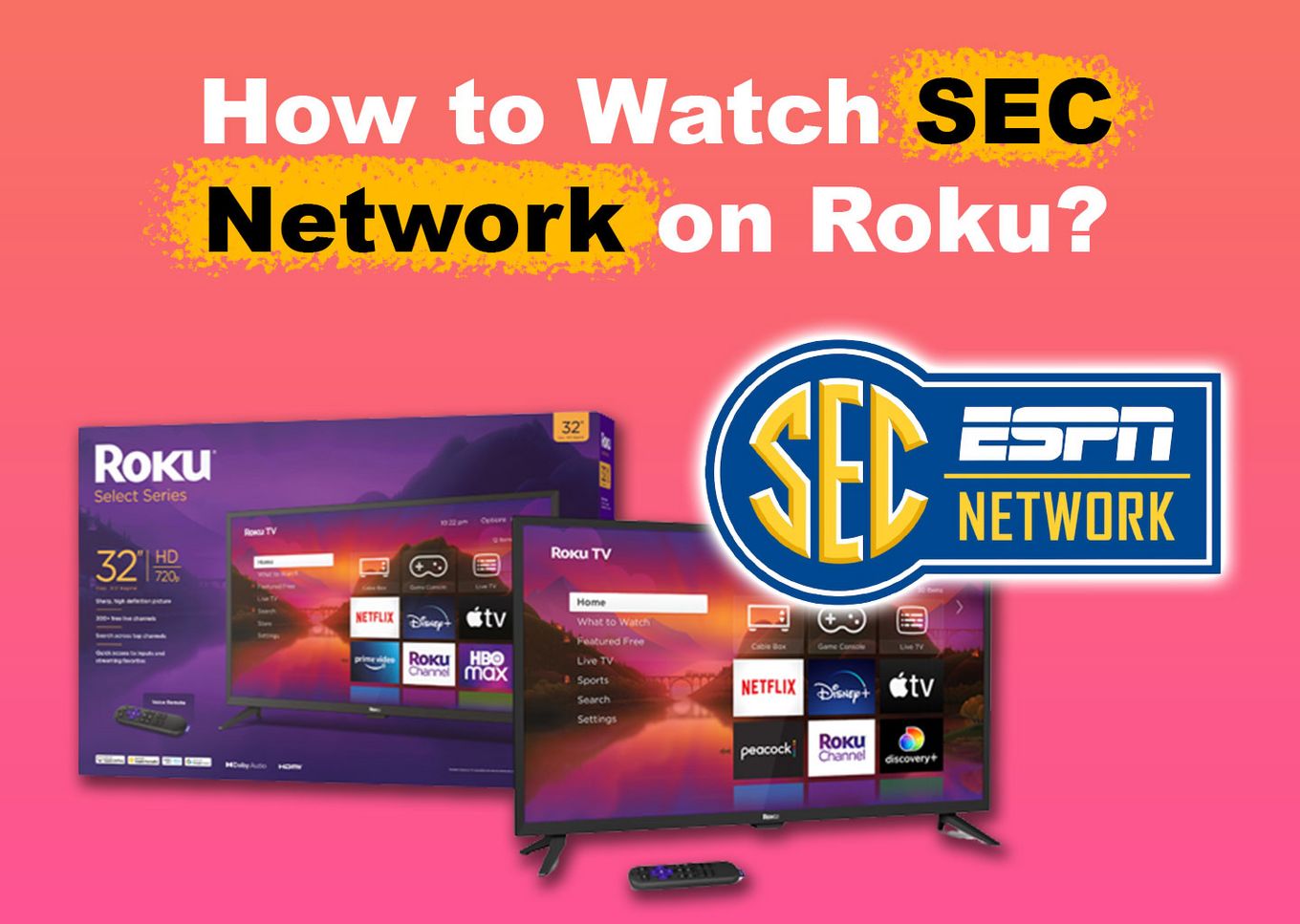
Quick answer: The cheapest way is ESPN Unlimited ($29.99/month), which includes SEC Network and all ESPN channels. If you have cable, you can access SEC Network for free through the ESPN app on Roku. Either way, there’s no dedicated SEC Network app for Roku — it’s always accessed through ESPN or a streaming service.
How to Stream SEC Network on Roku
There are two ways to watch SEC Network on Roku:
- Method 1: Use the ESPN app with your cable TV subscription (free if you already have cable)
- Method 2: Subscribe to a streaming service that includes SEC Network — no cable required
Method 1: Using the ESPN App (With Cable)
If you have a cable TV subscription that includes ESPN, you can access SEC Network on Roku through the ESPN app at no extra cost. You’ll need your cable provider login to authenticate the app.
Follow these steps to watch SEC Network on Roku using the ESPN app:
-
Step 1. Go to Your “Roku Home Screen”.
You can do this by pressing the
Homebutton of your Roku remote. -
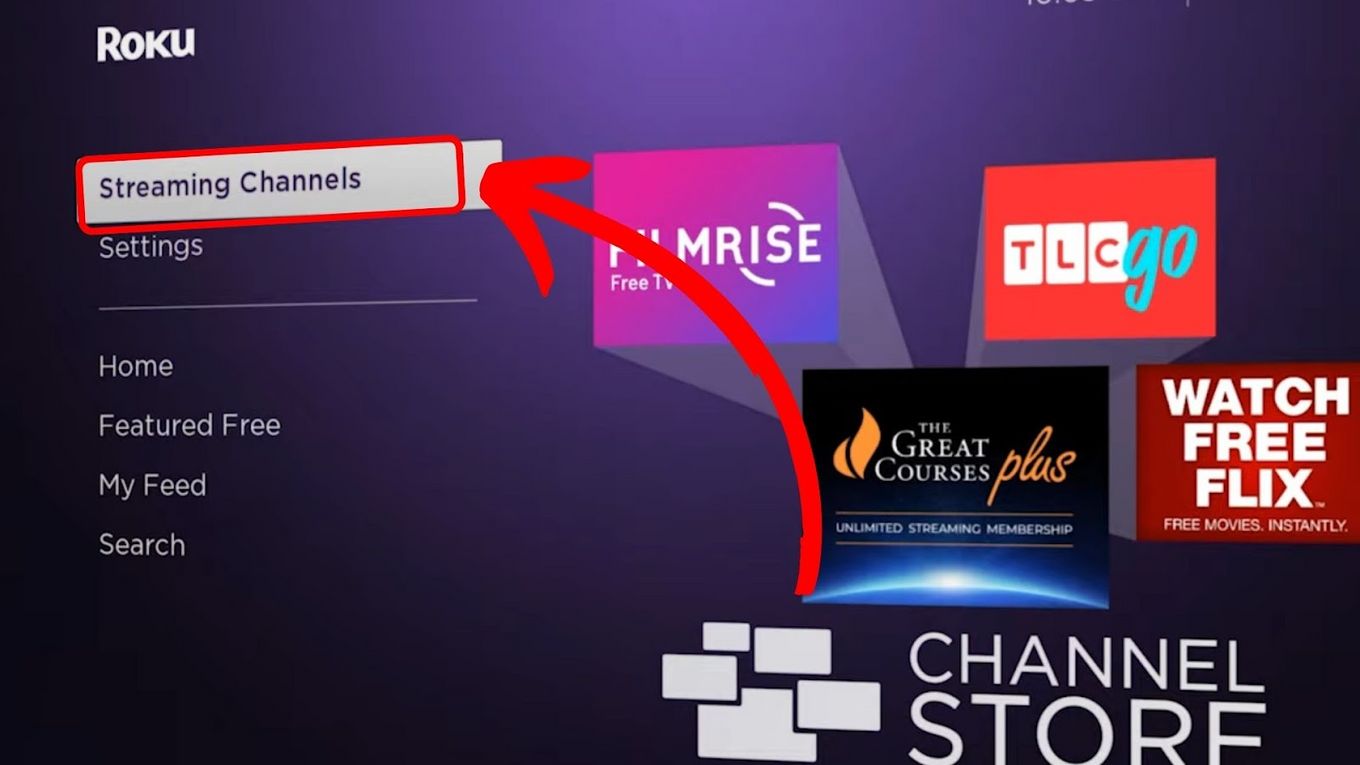
Step 2. Navigate to “Streaming Channels”.

-
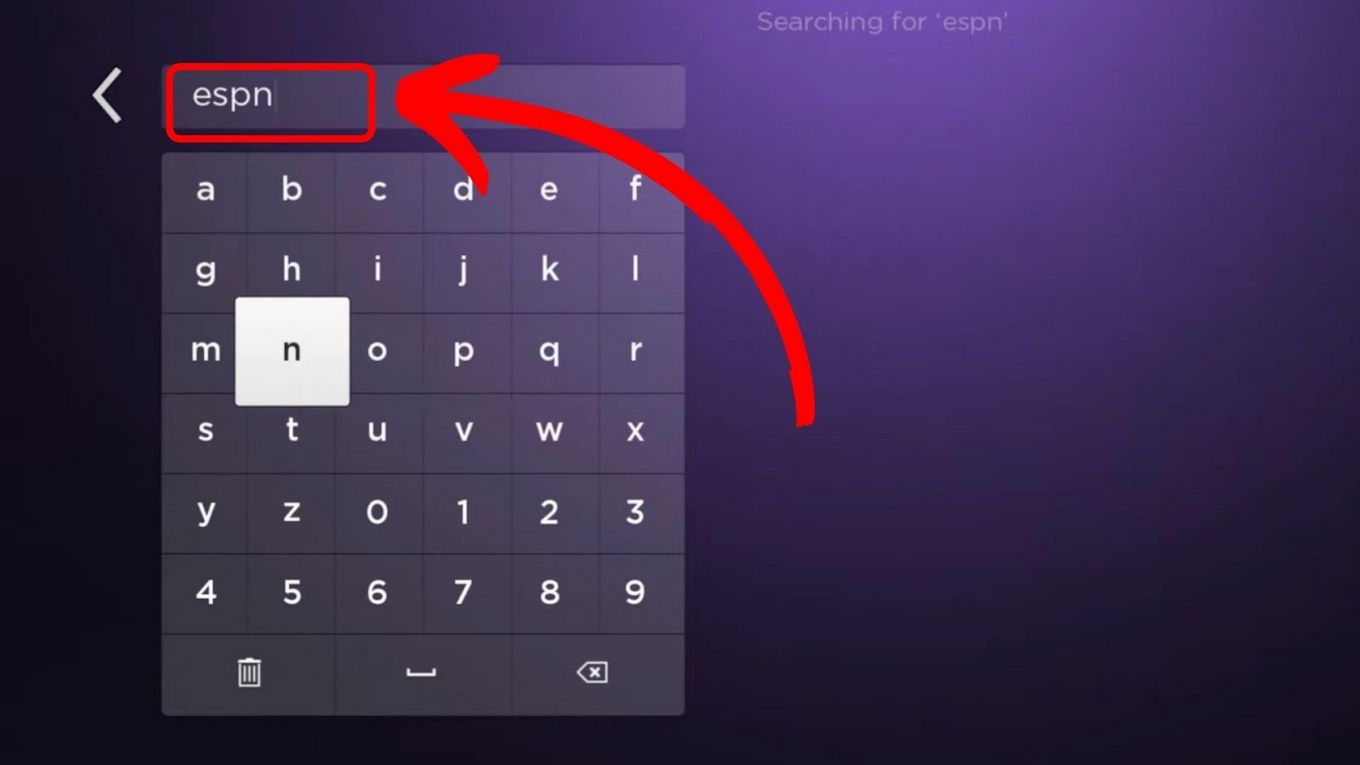
Step 3. Go to the “Search Bar” & Type “ESPN”.
-
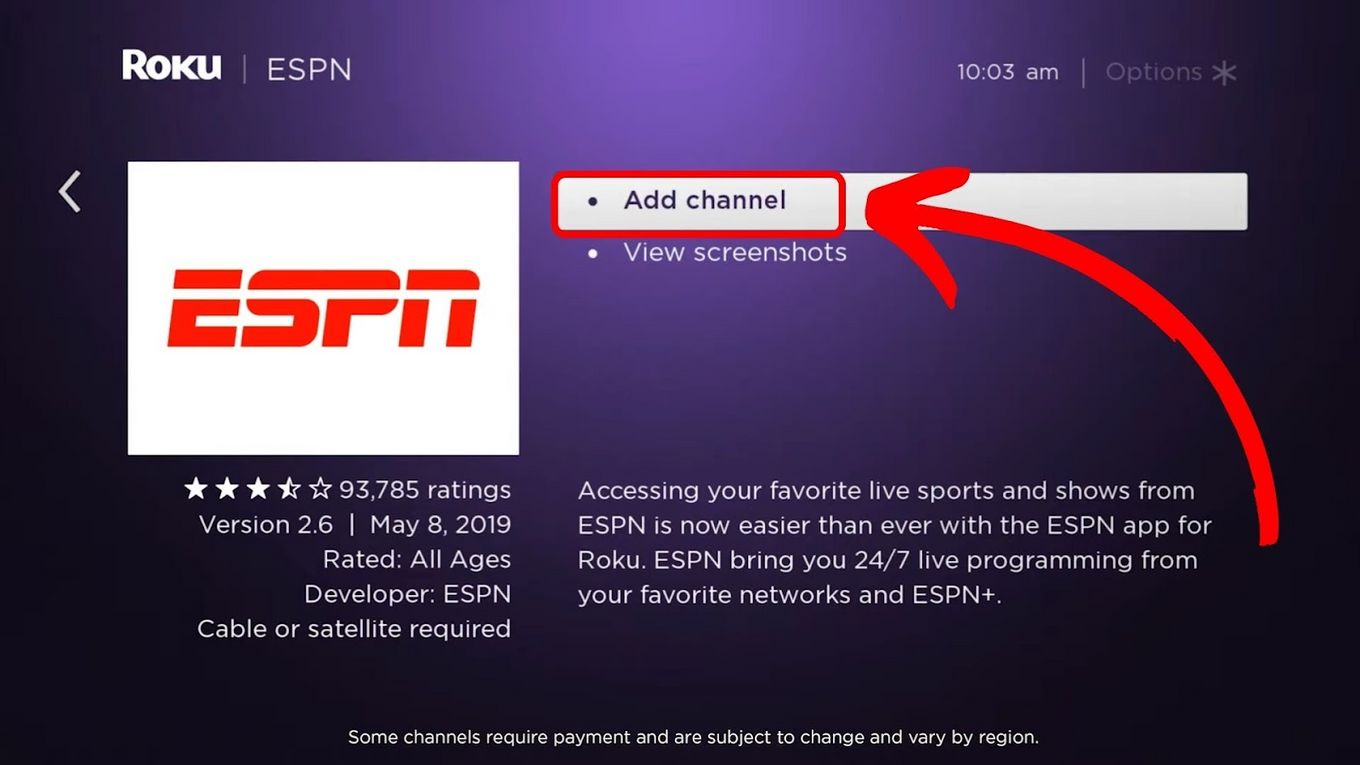
Step 4. Navigate to the “ESPN” channel and press
Okon your remote. -
Step 5. Click “Add Channel”.
-
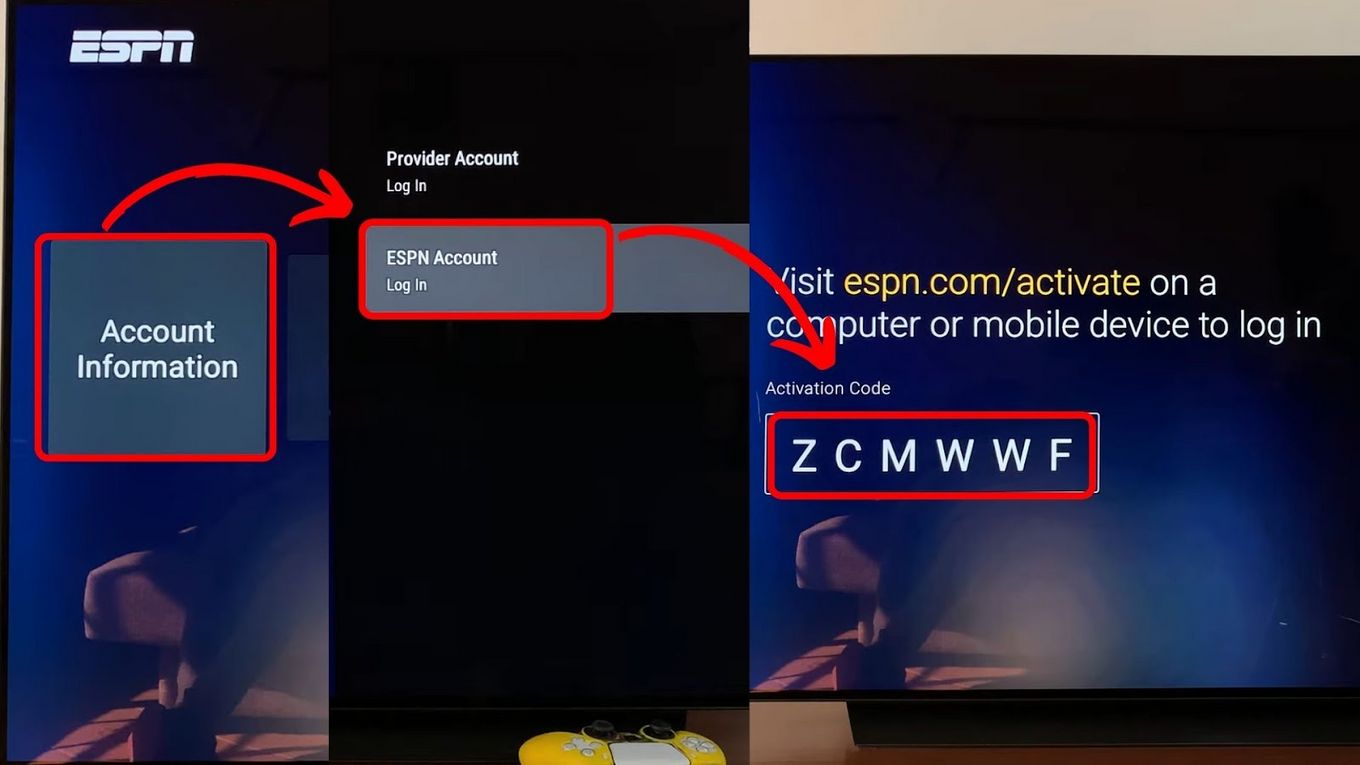
Step 6. Launch the ESPN channel & go to “Settings > Account Information > ESPN Account”.
Once you enter the “ESPN Account” page, an activation code will be displayed on your screen. Take note of that code.
-
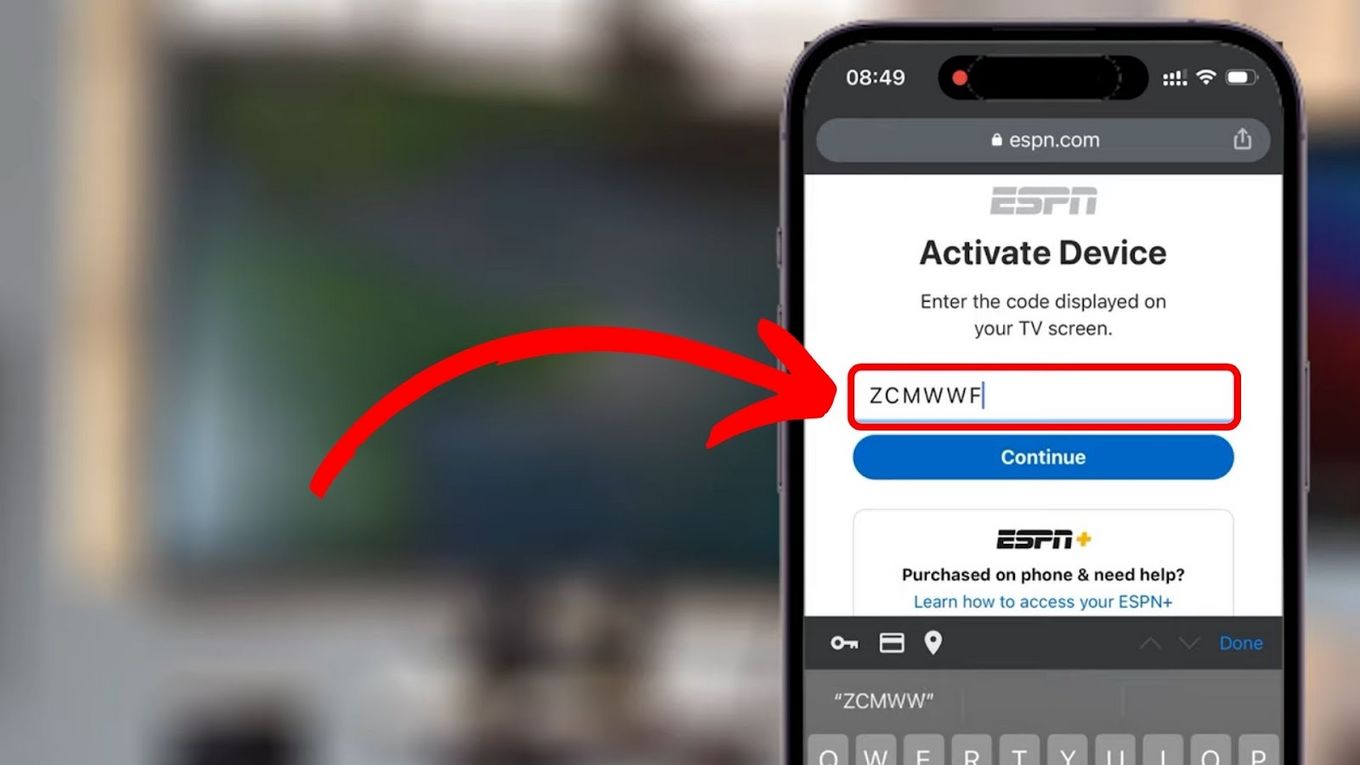
Step 7. Go to ESPN’s Activation Website to activate the channel.
You can access the activation website on any other device — your phone or computer works fine.
-
Step 8. Type the code in the “Activation Code Bar” & click “Continue”.
After entering the activation code, you’ll be prompted to log in with your cable TV provider credentials. Complete this login, and the ESPN channel on your Roku will be activated with full access to SEC Network.
-
Step 9. Click “Finish”.
-
Step 10. Search for and select “SEC Network” within the ESPN channel on your Roku device.
Once activated, you can find SEC Network within the ESPN channel and watch live games, analysis, and original programming.
If the ESPN app isn’t working after installation, this video walkthrough can help:
Method 2: Streaming SEC Network on Roku Without Cable
No cable subscription? You can still watch SEC Network on Roku through these streaming services. All of them include SEC Network as part of their channel lineup:
-
ESPN Unlimited — $29.99/month ($25/month annually)
The most affordable option if you primarily want ESPN and SEC Network. Includes ESPN, ESPN2, ESPNU, SEC Network, ACC Network, ESPNEWS, ESPN+, and more. Best value for college sports fans. -
Fubo Sports — from $55.99/month
A sports-focused skinny bundle that includes all ESPN channels. Good option if you want more live sports beyond just SEC coverage. -
Sling TV (Orange + Sports Extra) — ~$57/month
The Orange plan includes ESPN, and the Sports Extra add-on adds SEC Network. A solid mid-range option if you want a broader channel selection. -
DirecTV MySports — $49.99/month for first 2 months, then $69.99/month
Includes SEC Network and a wide sports lineup. The introductory price is competitive, though the regular rate is higher. -
Hulu + Live TV — $82.99/month
Includes SEC Network along with 90+ channels and Disney+/ESPN+ bundle. Best if you want a full entertainment package beyond just sports. -
YouTube TV — $82.99/month
Includes SEC Network with unlimited DVR storage. Good all-around choice if you already use YouTube regularly.
Important: ESPN+ (now called ESPN Select) does not include SEC Network. You need the full ESPN channel, which comes with ESPN Unlimited or the streaming services listed above. This is a common point of confusion.
How to add any of these services to Roku: Go to “Streaming Channels” on your Roku home screen, search for the service by name, add it, then sign in with your subscription credentials.
Which Streaming Service Is Cheapest for SEC Network?
ESPN Unlimited at $29.99/month is the cheapest way to watch SEC Network on Roku without cable. It’s purpose-built for ESPN fans and includes every ESPN channel — SEC Network, ESPN, ESPN2, ESPNU, ACC Network, and ESPN+. If SEC Network is the main reason you’re subscribing, this is the best value by a significant margin.
If you want a broader channel lineup that includes local channels, news, and entertainment alongside sports, YouTube TV or Hulu + Live TV at $82.99/month offer the most complete packages.
Why Is SEC Network Accessible Via ESPN on Roku?
SEC Network is accessible through ESPN because ESPN is SEC Network’s parent company. ESPN signed a 10-year deal with the Southeastern Conference, acquiring the rights to broadcast its sports content and creating a dedicated channel — SEC Network — to cover SEC athletic events exclusively.
This means whether you’re using the ESPN app with cable or a streaming service subscription, SEC Network is always accessed through ESPN’s platform.
Can You Watch SEC Network on Roku for Free?
Not for free on an ongoing basis. A paid subscription is required — either a cable TV plan (which unlocks ESPN app access) or one of the streaming services listed above.
Some streaming services occasionally offer promotional trial periods, though these have become less common. Check the current offers directly on each service’s website before subscribing.
What Is the Difference Between SEC Network and SEC Network+?
SEC Network is a live 24-hour television channel that broadcasts high-profile Southeastern Conference events — football, basketball, baseball, and more — along with original programming and sports analysis.
SEC Network+ is a complementary digital-only platform available through the ESPN app. It provides thousands of additional events that don’t air on the main SEC Network channel — including secondary games, non-televised sports like soccer, volleyball, and tennis, and overflow coverage.
In short: SEC Network is the main TV channel; SEC Network+ is the overflow digital stream available through the ESPN app on your Roku and other devices.
Learn more about the differences between SEC Network and SEC Network+.
Frequently Asked Questions
Does Roku TV have a SEC Network app?
No, there is no dedicated SEC Network app on Roku. You access SEC Network through the ESPN app (using a cable login) or through a streaming service like ESPN Unlimited, Sling TV, YouTube TV, or Hulu + Live TV.
How do I get SEC Network on my Roku without cable?
Subscribe to a streaming service that includes SEC Network — ESPN Unlimited ($29.99/month) is the cheapest option. After subscribing, add the service’s app from the Roku Channel Store, log in, and you’ll have access to SEC Network.
Where can I stream SEC Network?
SEC Network is available via ESPN Unlimited, Sling TV (Orange + Sports Extra), DirecTV MySports, Hulu + Live TV, and YouTube TV. It’s also accessible through the ESPN app with a qualifying cable subscription.
Does ESPN+ include SEC Network?
No. ESPN+ (also called ESPN Select) does not include the SEC Network linear channel. You need ESPN Unlimited or a live TV streaming service to get SEC Network. ESPN+ mainly offers on-demand content and some exclusive events, but not the full SEC Network live feed.